Compass FinOps
Compass FinOps shows AI spend, budgets, rate limits and month-end forecasts per role and per user, enforced through the Frontier llm-router with llm-d first.
Compass FinOps is a top-nav tab next to Admin that shows what AI costs, who is spending it, and who is on track to exceed budget. Access is gated by a viewer role.
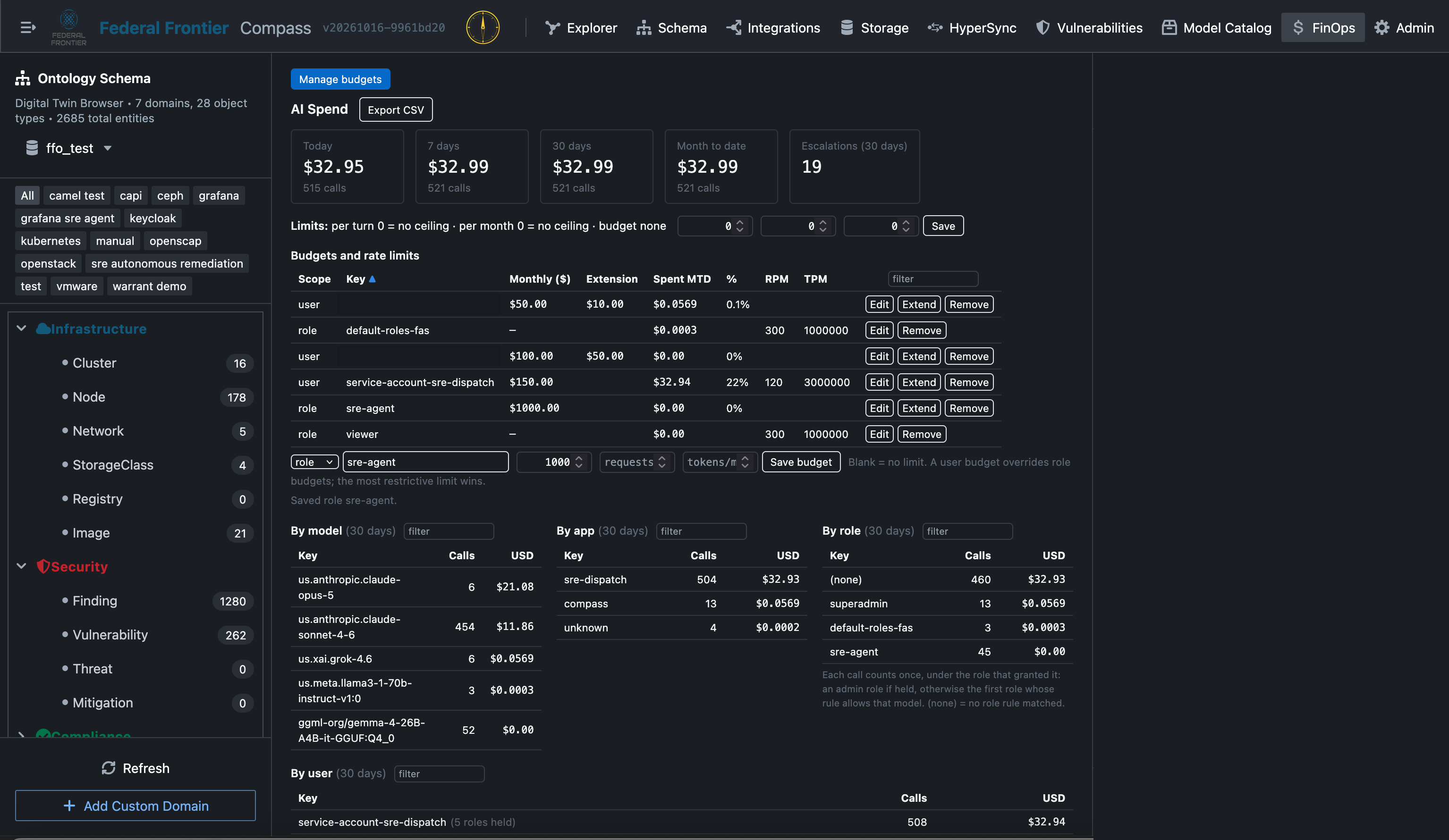
AI Spend
| Tile | Shows |
|---|---|
| Today | Spend and calls today |
| 7 days | Spend and calls over the last 7 days |
| 30 days | Spend and calls over the last 30 days |
| Month to date | Spend and calls this month |
| Escalations | Requests escalated to a paid tier |
Export CSV downloads the data. Manage budgets links to Admin.
Budgets and rate limits
Budgets and rate limits are set per role and per user.
| Field | Meaning |
|---|---|
| Monthly ($) | Monthly budget |
| Extension | Extra budget added for the current month |
| Spent MTD | Spend this month |
| % | Share of budget used |
| RPM | Requests per minute |
| TPM | Tokens per minute |
A user budget overrides the role budget, and the most restrictive limit wins. Users and roles are picked from the identity provider (Keycloak today). Budgets can be extended.
Spend breakdown
Spend breaks down by model, app, role and user, plus a recent-calls table. Every table has sortable headers and a filter, and tooltips explain each field.
Enforcement
Budgets and limits are enforced by the Frontier llm-router. It sends requests to local models first, such as Gemma at $0 served through llm-d (a CNCF Sandbox project), and escalates to paid commercial frontier tiers when needed.
Forecast
Once 3 days of history exist, FinOps projects month-end spend. It flags principals projected to exceed their budget, along with the day they are projected to breach it.