Federated Identity (Customer IdP)
Users sign in with the customer’s own identity provider. Keycloak brokers the login over OIDC and maps the customer’s groups to platform roles, so Compass model access keeps its deny-by-default rules.
Federal Frontier issues platform tokens from a realm in Keycloak, the CNCF Incubating identity project. The realm is named FAS by default, and each customer can rename it; the paths below use <REALM>. With federated identity, the customer’s users sign in with the identity provider (IdP) they already run. Keycloak brokers the login to that IdP over OpenID Connect (OIDC) and turns the IdP’s group memberships into platform roles. Compass and the llm-router keep reading the same roles and keep their deny-by-default model rules, so no application changes are needed.
How it works
- The customer IdP authenticates the user with whatever it already enforces: password, MFA or smart card.
- Keycloak receives the IdP’s ID token, creates or updates a federated user, and issues the access token that Federal Frontier services trust.
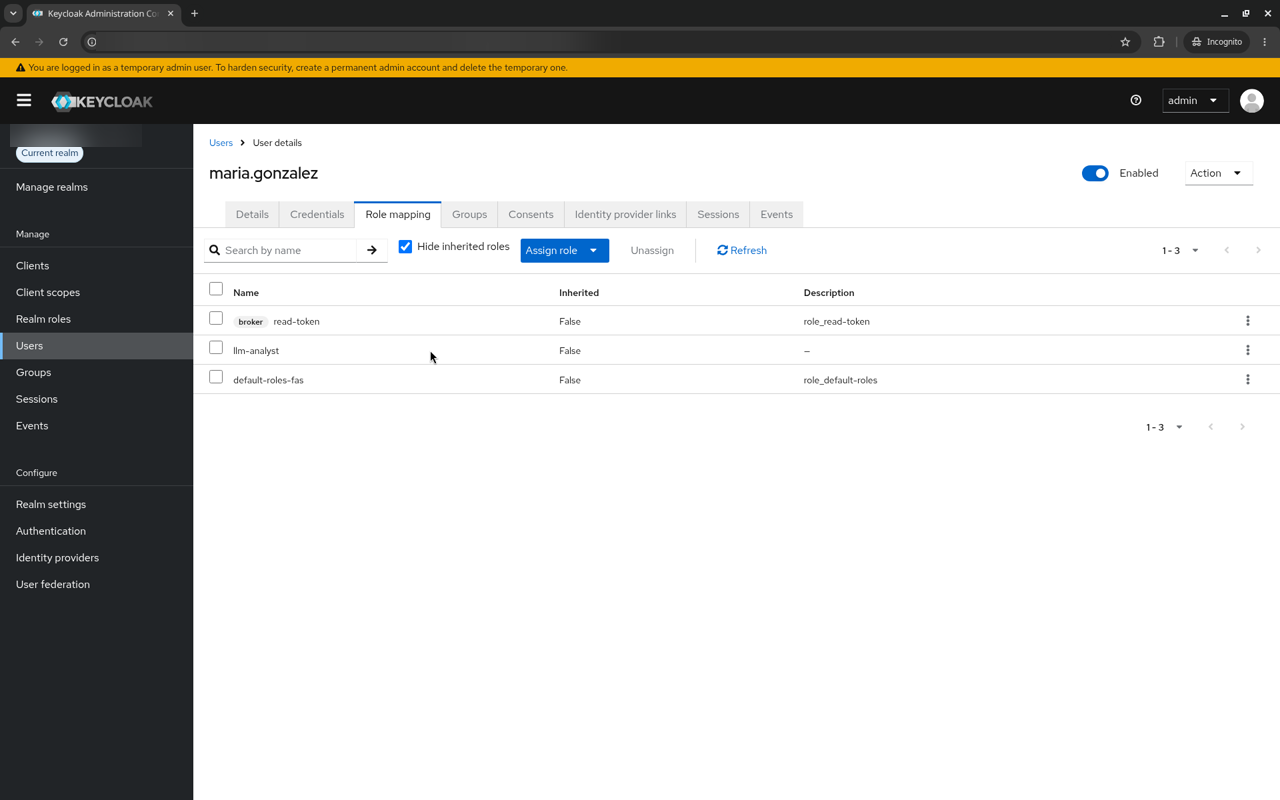
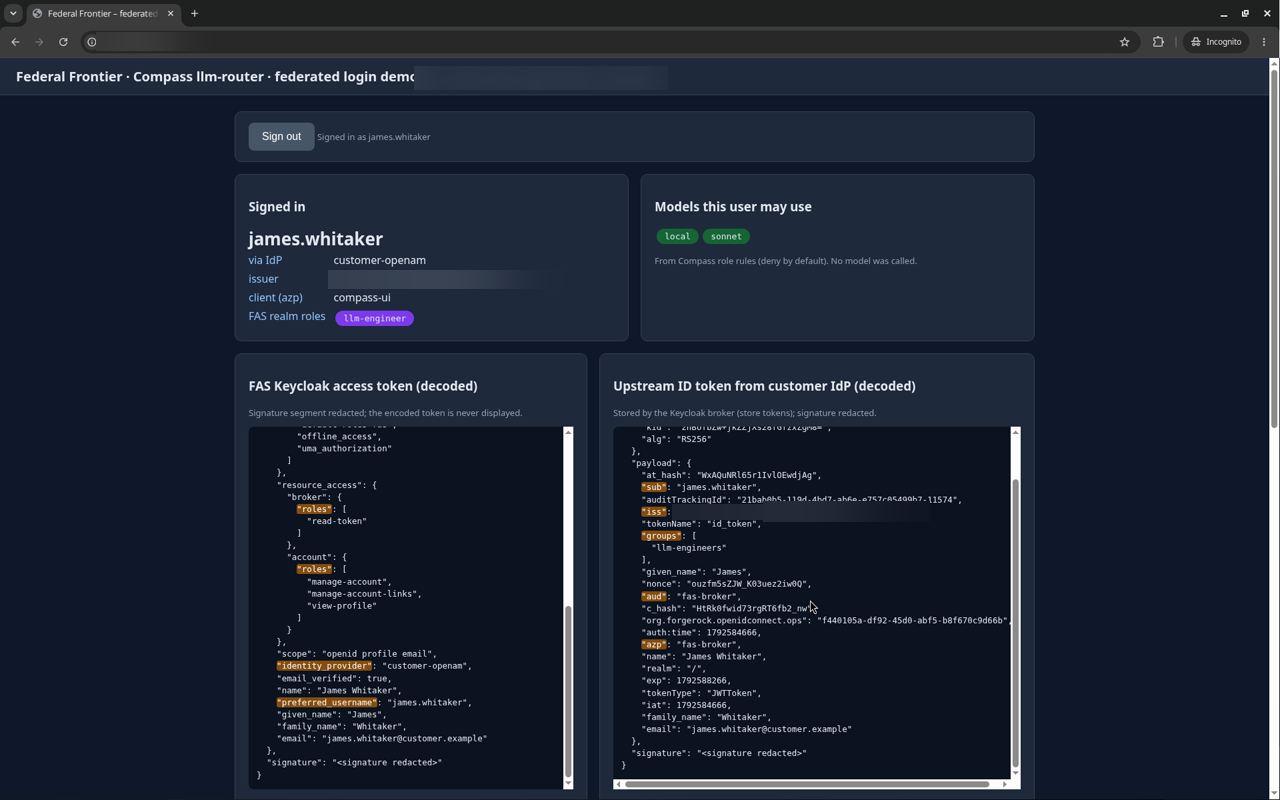
- Advanced Claim to Role mappers with sync mode Force turn upstream group names into platform roles at every login. When a user leaves a group upstream, the role is removed at their next login.
- The llm-router grants models only where a role rule exists. A user with no mapped role gets no models.
Keycloak brokers to any OpenID Connect–compliant identity provider in the same way, and the group-to-role mapping works with any provider that can include the user’s groups, or another claim, in its tokens. Providers differ in how they send groups: Microsoft Entra ID sends group object IDs rather than names by default, and leaves groups out of a JWT when a user is in more than 200; Okta needs a groups claim configured on the app or the authorization server. Only ForgeRock OpenAM has been tested so far; the other providers are listed under Not yet tested.
user groups] --> T[ID token
groups claim] T --> K[Keycloak broker
Advanced Claim to Role
sync mode Force] K --> A[Platform access token
realm roles] A --> R[llm-router role rules
deny by default] R --> M1[Analyst role
local models] R --> M2[Engineer role
local models + sonnet] R --> M3[No mapped role
access denied] style G fill:#2d3748,stroke:#4299e1,color:#e2e8f0 style T fill:#2d3748,stroke:#4299e1,color:#e2e8f0 style K fill:#2d3748,stroke:#4299e1,color:#e2e8f0 style A fill:#2d3748,stroke:#4299e1,color:#e2e8f0 style R fill:#2d3748,stroke:#4299e1,color:#e2e8f0 style M1 fill:#2d3748,stroke:#48bb78,color:#e2e8f0 style M2 fill:#2d3748,stroke:#48bb78,color:#e2e8f0 style M3 fill:#2d3748,stroke:#f56565,color:#e2e8f0
Set up OIDC brokering
Placeholders: <KEYCLOAK_URL>, <REALM>, <ALIAS> (the identity provider alias in Keycloak), <IDP_ISSUER>, <CLIENT_ID> and <CLIENT_SECRET>. Keep the client secret in your secret store and the Keycloak admin console only.
1. Register Keycloak as a client in the customer IdP
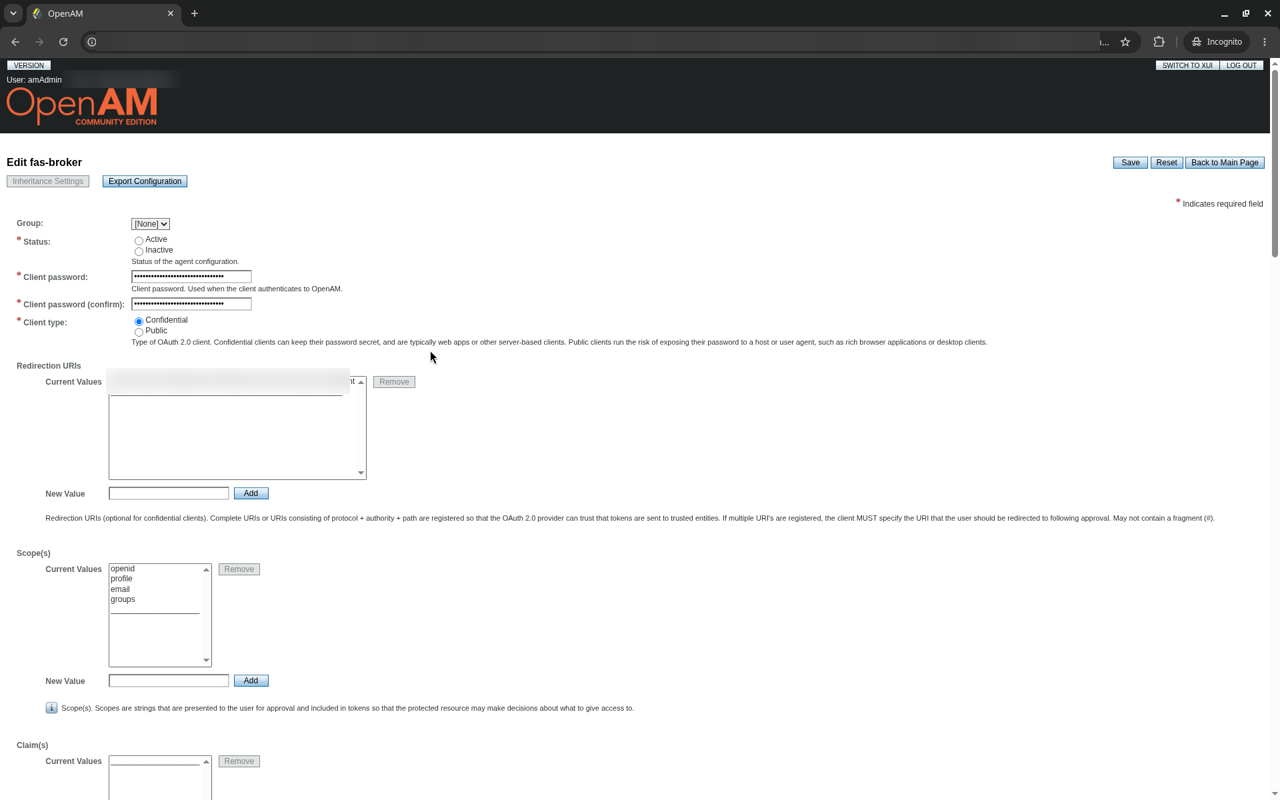
Create a confidential OIDC client:
| Setting | Value |
|---|---|
| Grant / response type | authorization_code / code |
| Redirect URI | <KEYCLOAK_URL>/realms/<REALM>/broker/<ALIAS>/endpoint |
| Post-logout redirect URI | <KEYCLOAK_URL>/realms/<REALM>/broker/<ALIAS>/endpoint/logout_response (required for sign-out through the broker) |
| Token endpoint authentication | client_secret_post (must match step 3) |
| Scopes | openid profile email groups |
2. Put the user’s groups in the ID token
The ID token must carry the user’s group names as a JSON array, for example "groups": ["llm-analysts"]. How you configure this depends on the IdP; see the ForgeRock OpenAM example.
3. Add the identity provider in Keycloak
Identity providers → Add provider → OpenID Connect v1.0
| Field | Value |
|---|---|
| Alias / display name | <ALIAS> / the label users see on the sign-in button |
| Discovery endpoint | <IDP_ISSUER>/.well-known/openid-configuration |
| Logout URL | the IdP’s end_session_endpoint |
| Client authentication | Client secret sent as post |
| Client ID / secret | <CLIENT_ID> / <CLIENT_SECRET> |
| Default scopes | openid profile email groups |
| Validate signatures / use JWKS URL | On / On |
| PKCE | On, S256 |
| Sync mode | Force |
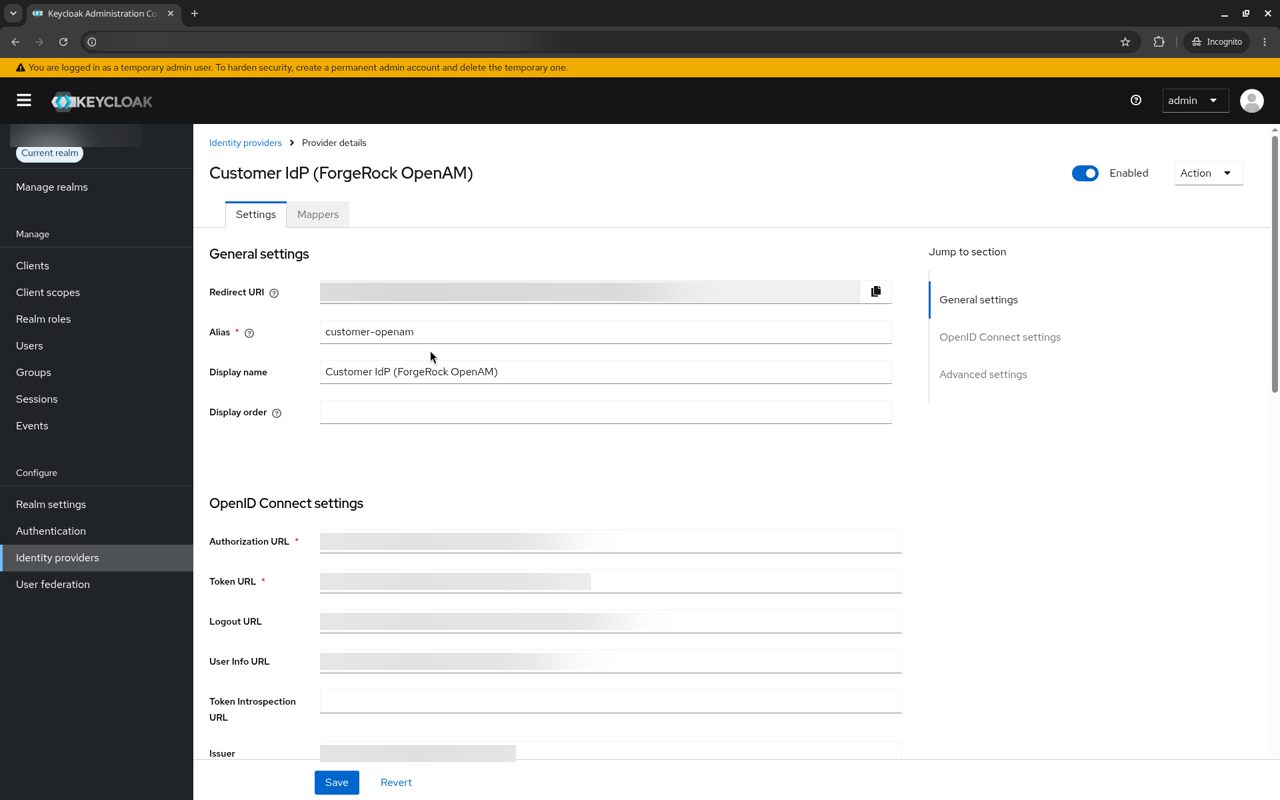
4. Map groups to roles
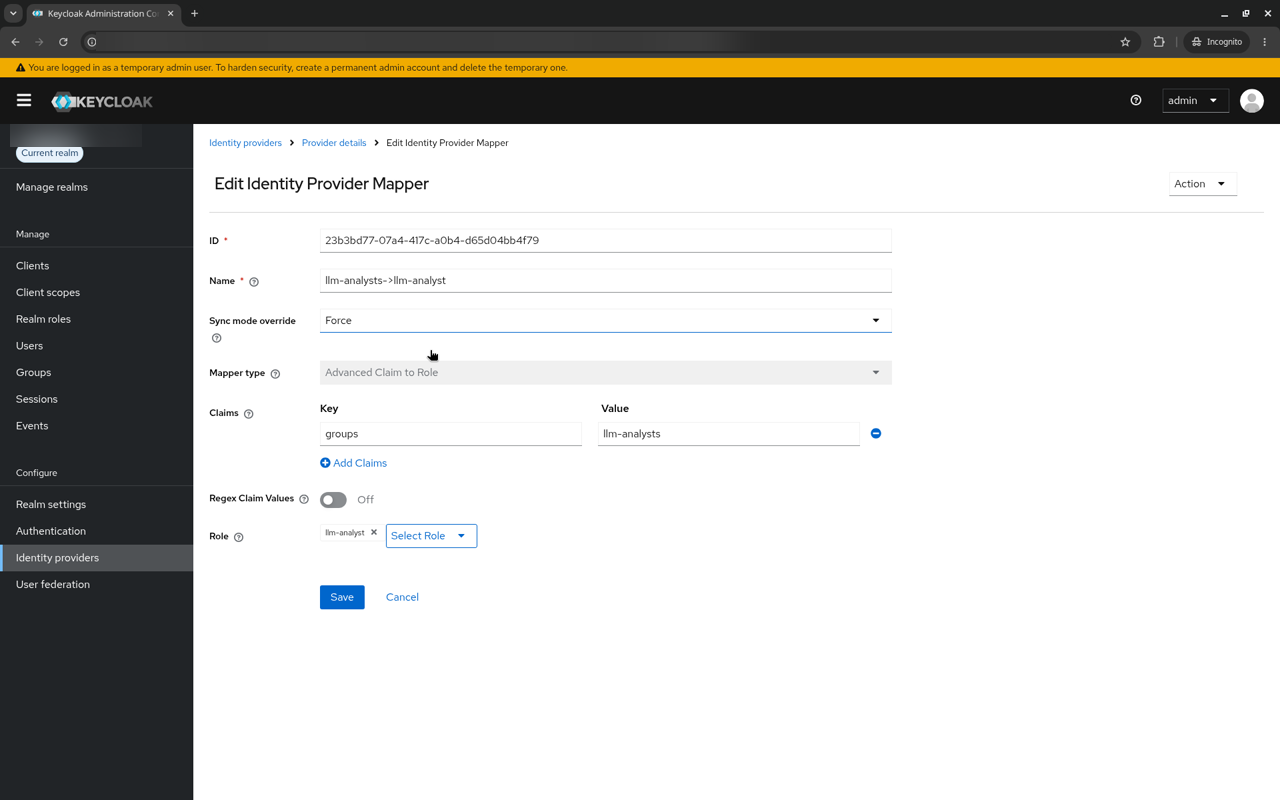
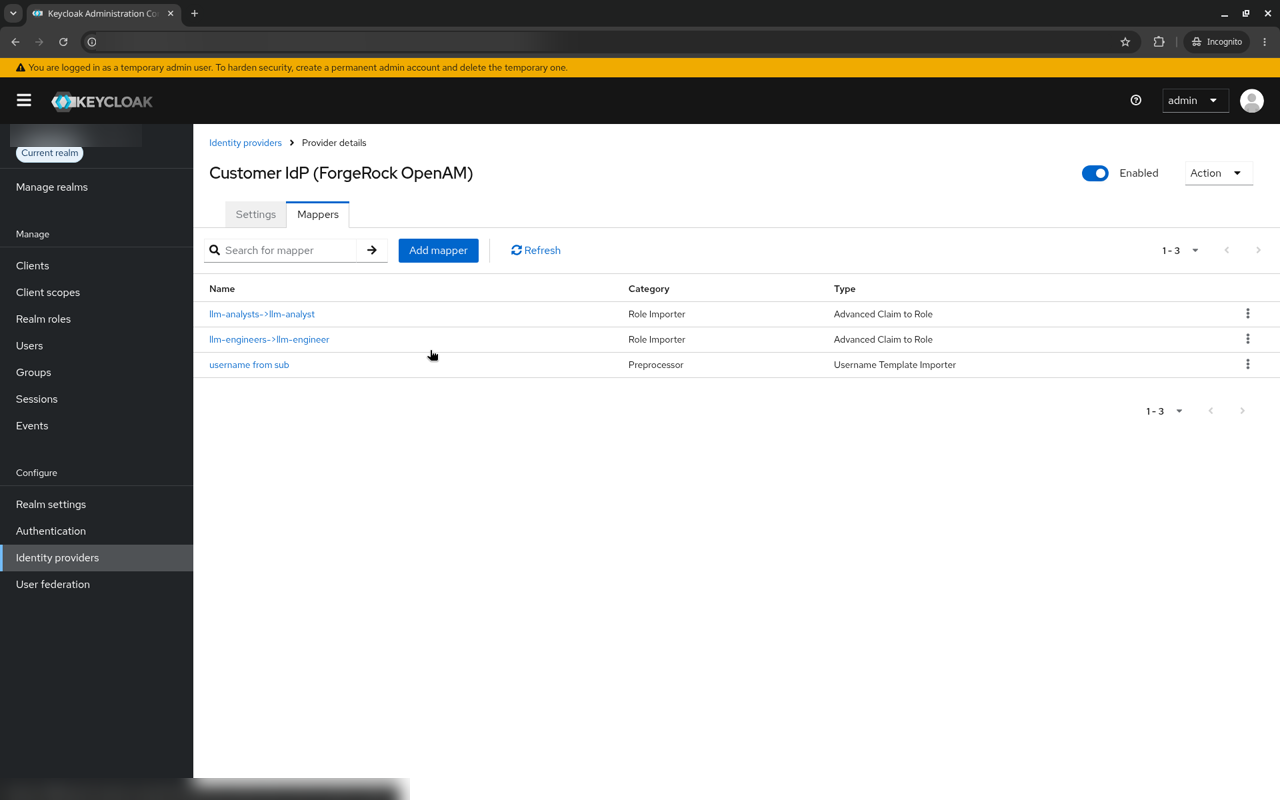
Add one mapper per group under Identity providers → <ALIAS> → Mappers:
| Field | Value |
|---|---|
| Mapper type | Advanced Claim to Role |
| Sync mode override | Force |
| Claims | key groups, value llm-analysts (exact match) |
| Role | realm role llm-analyst |
Optionally add a Username Template Importer mapper with template ${CLAIM.sub} so usernames match the upstream login name.
5. Send users straight to the customer IdP
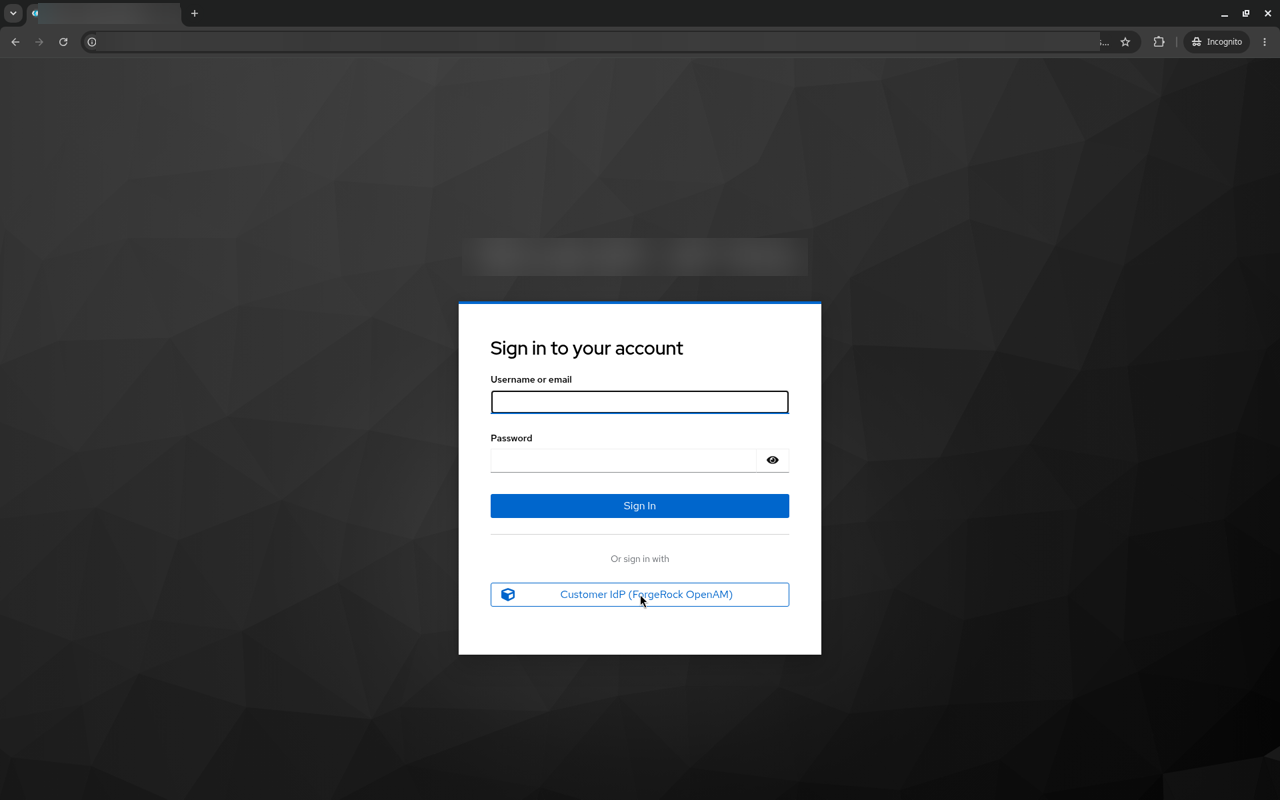
Applications add kc_idp_hint=<ALIAS> to the sign-in request, and Keycloak redirects to the customer IdP without showing its own sign-in page. Without the hint, users see the Keycloak sign-in page with the customer IdP button.
6. Keep the Compass role rules
llm-router role rules are keyed by role and deny by default, for example llm-analyst → [local] and llm-engineer → [local, sonnet]. Brokering does not change them.
Example: ForgeRock OpenAM and OpenDJ
Tested with Open Identity Platform OpenAM 16.1.3 (the open-source ForgeRock AM code line) and OpenDJ 5.1.2 as the user store.
- Groups claim: copy the default OIDC Claims Script and add a
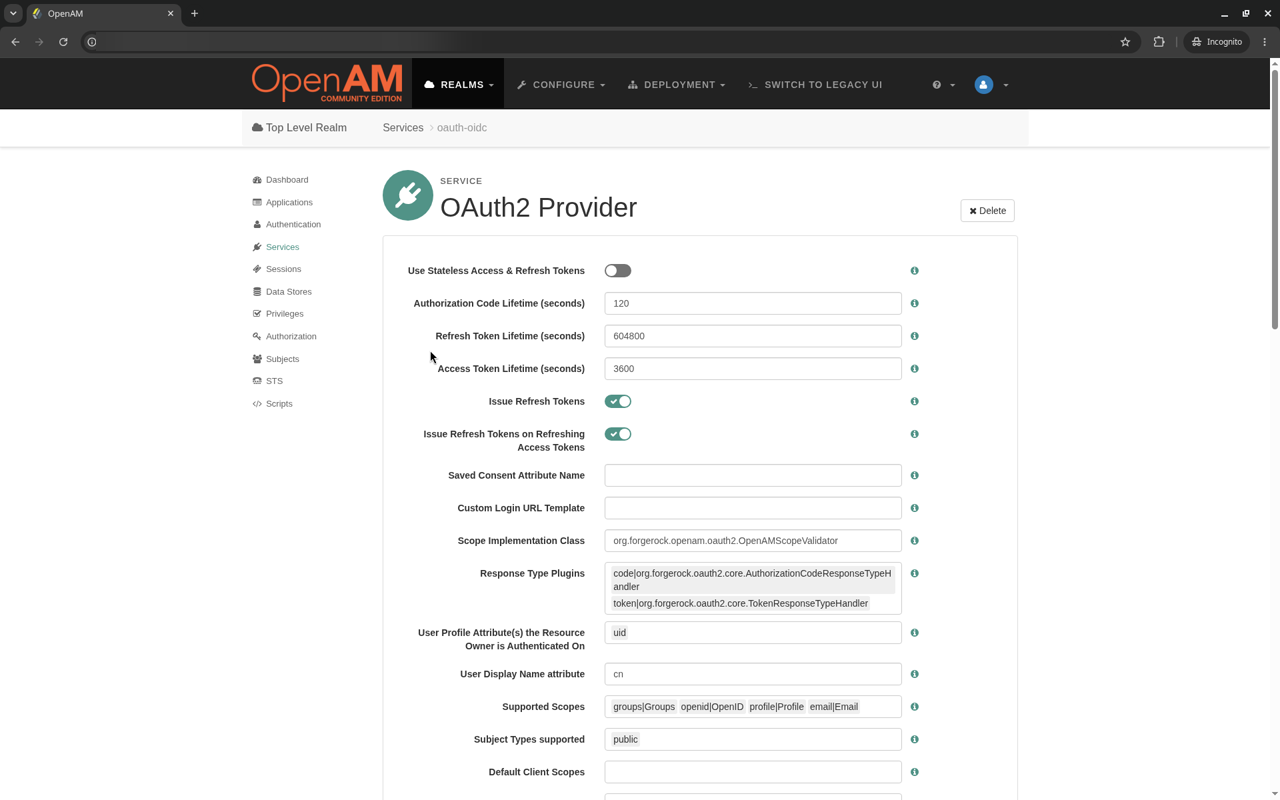
groupsclaim built fromidentity.getMemberships(IdType.GROUP). Map scopegroupsto claimgroups, and addcom.sun.identity.idm.IdTypeandcom.sun.identity.idm.AMIdentityto the OIDC_CLAIMS scripting allow list. - OAuth2 provider: use that claims script, support scopes
openid profile email groups, and turn on Always return claims in ID tokens. - Client: create the confidential client from step 1 above.
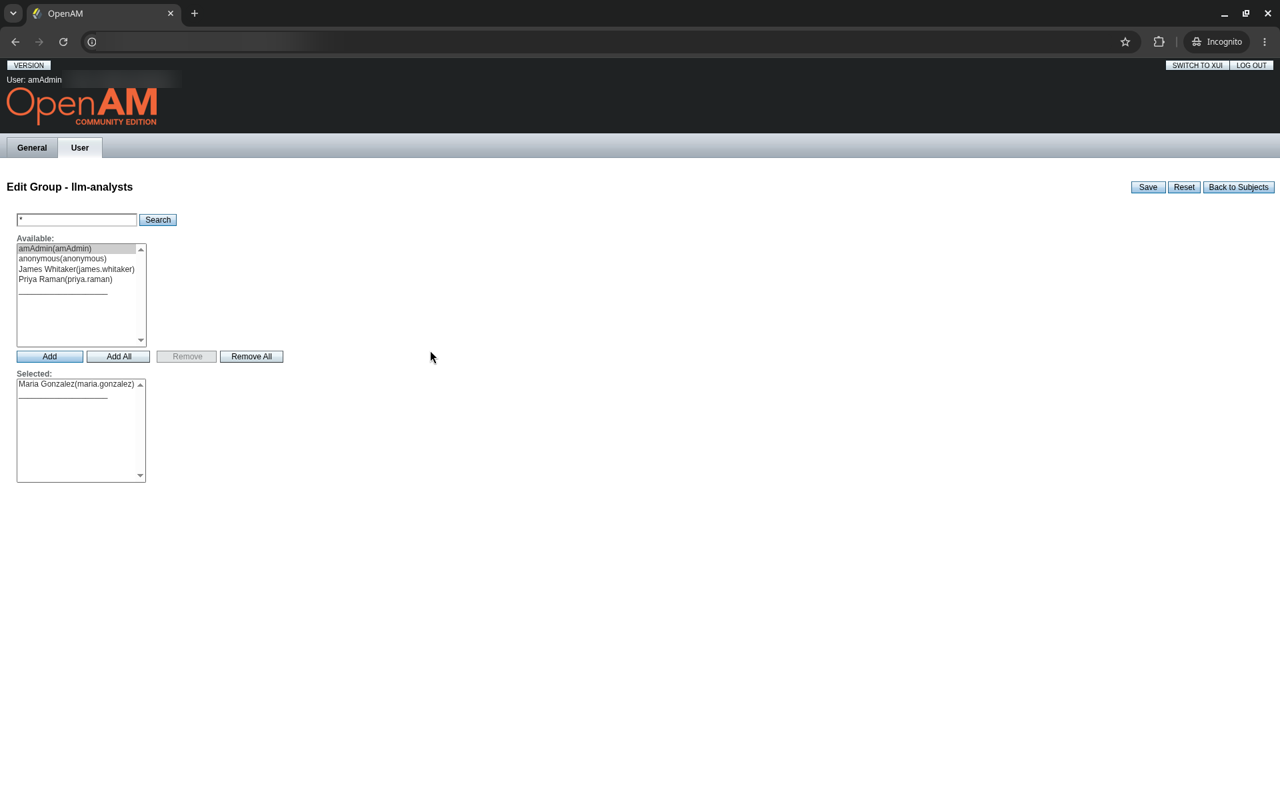
- Groups and users: the test used group
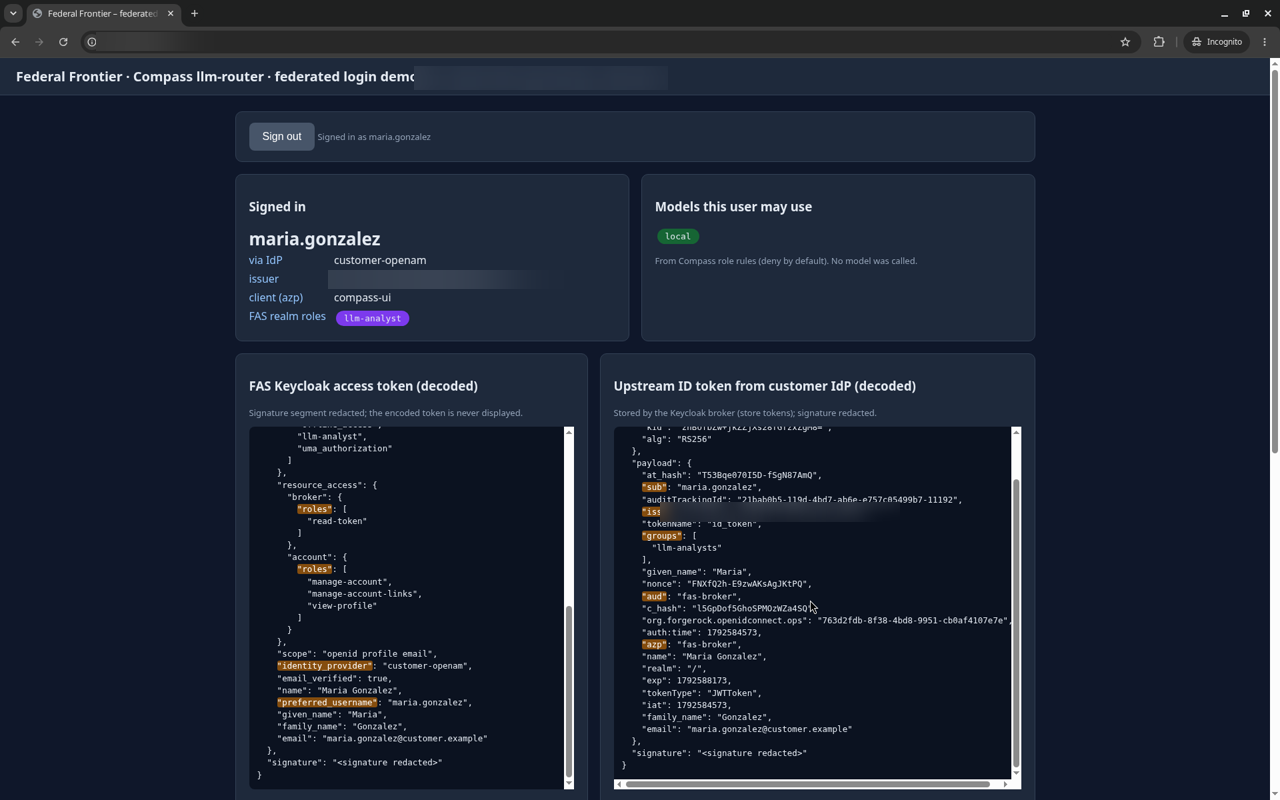
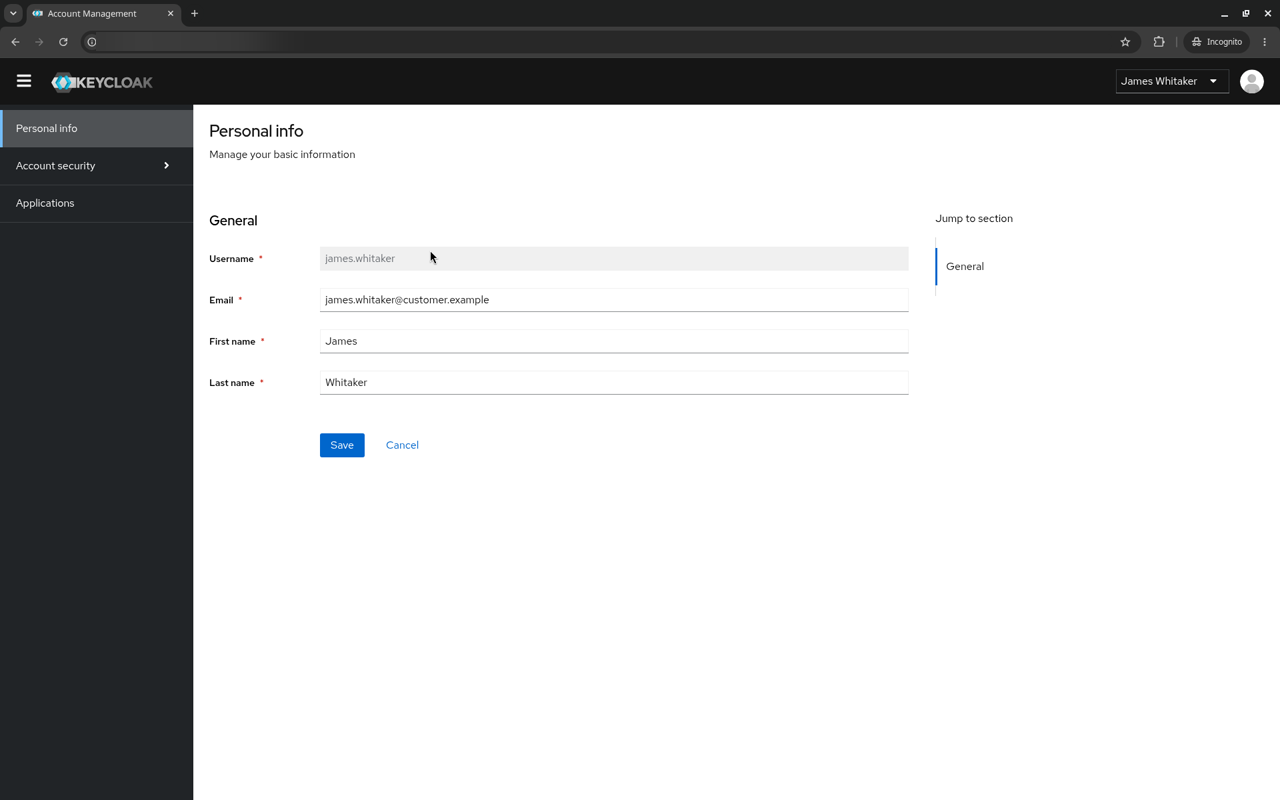
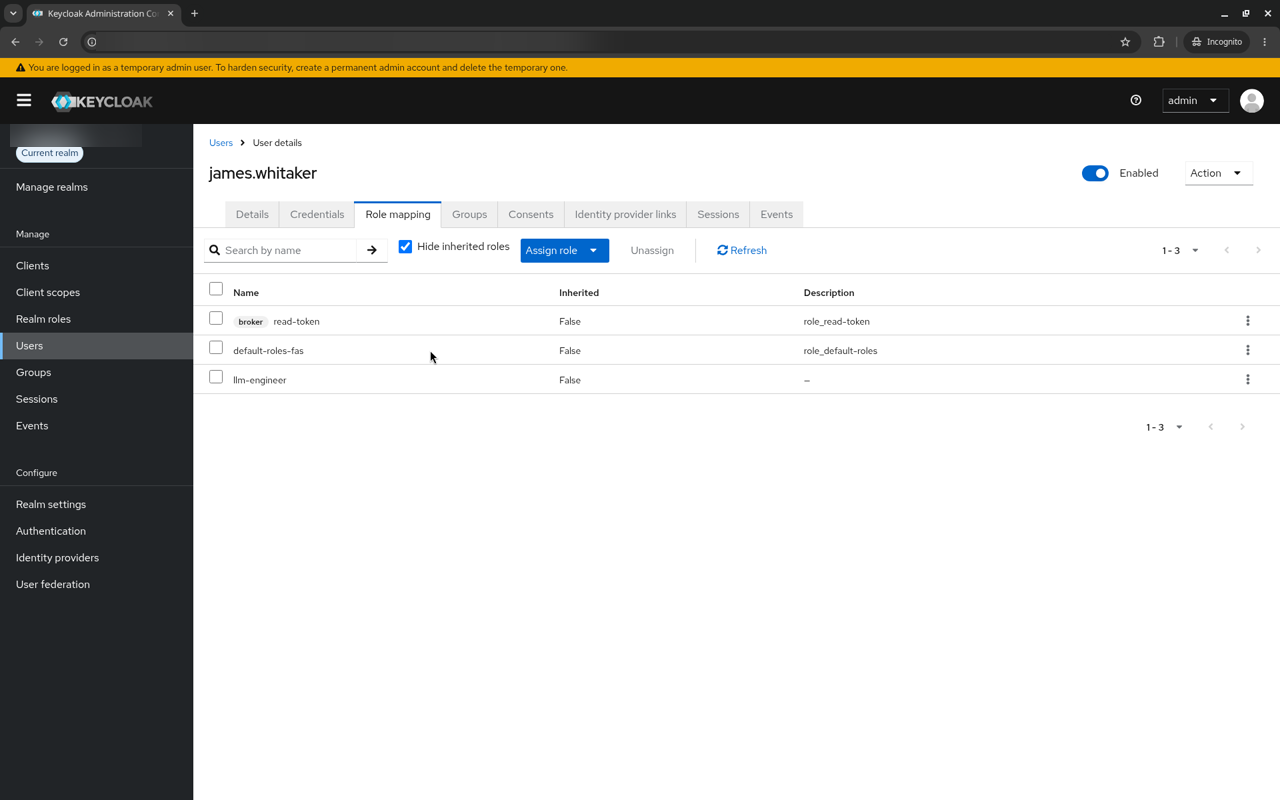
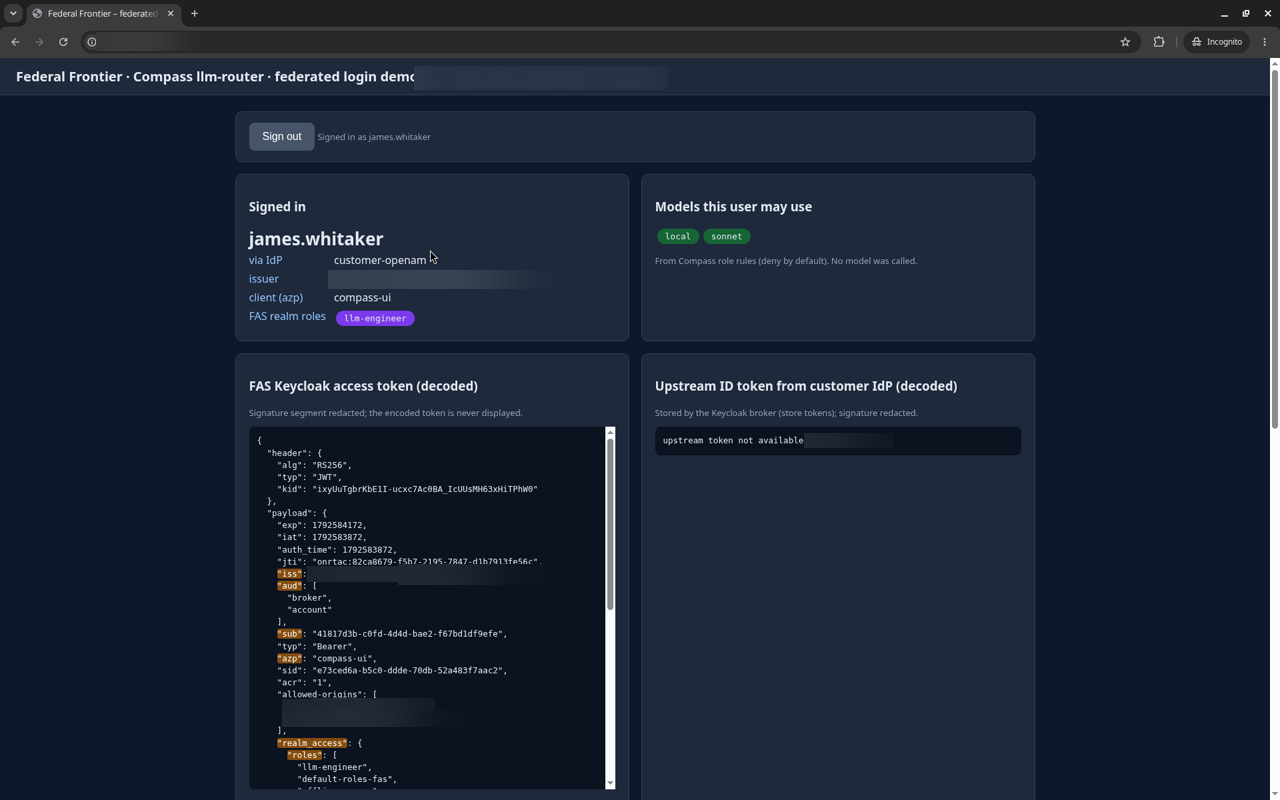
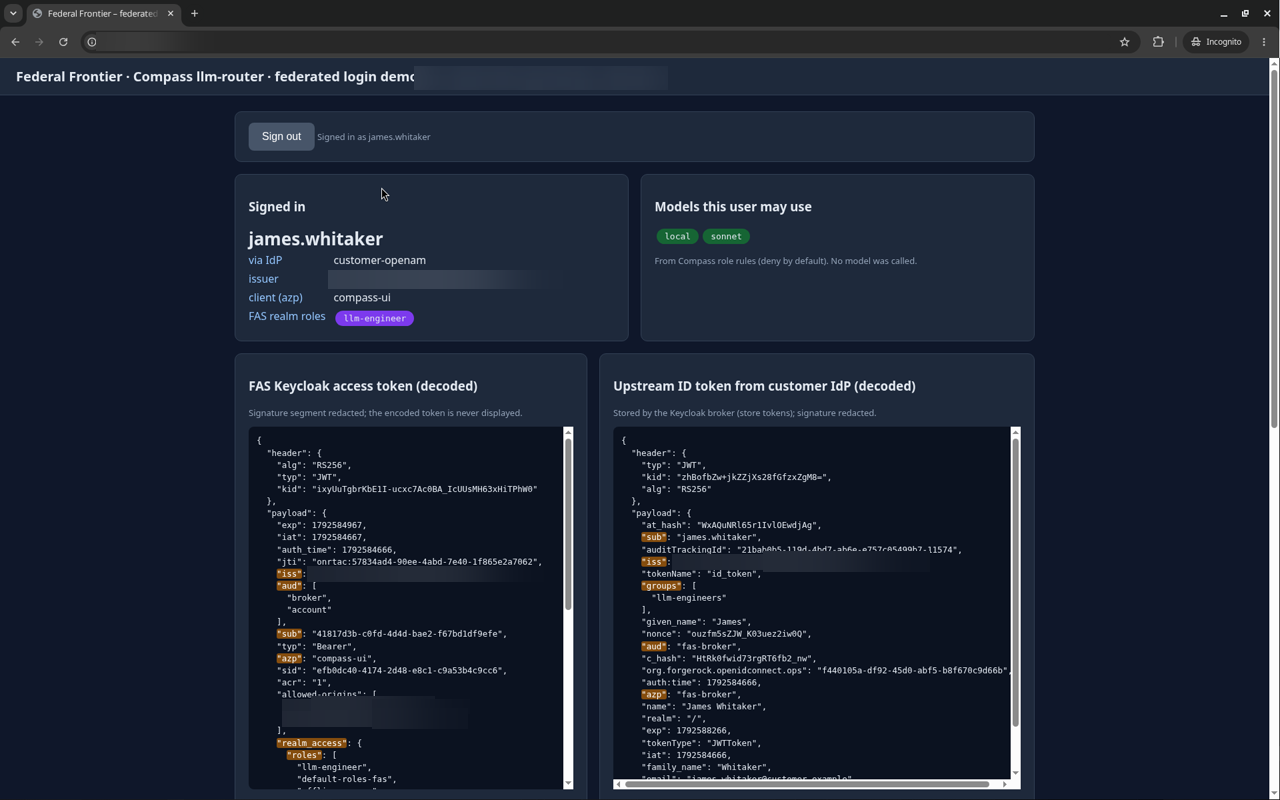
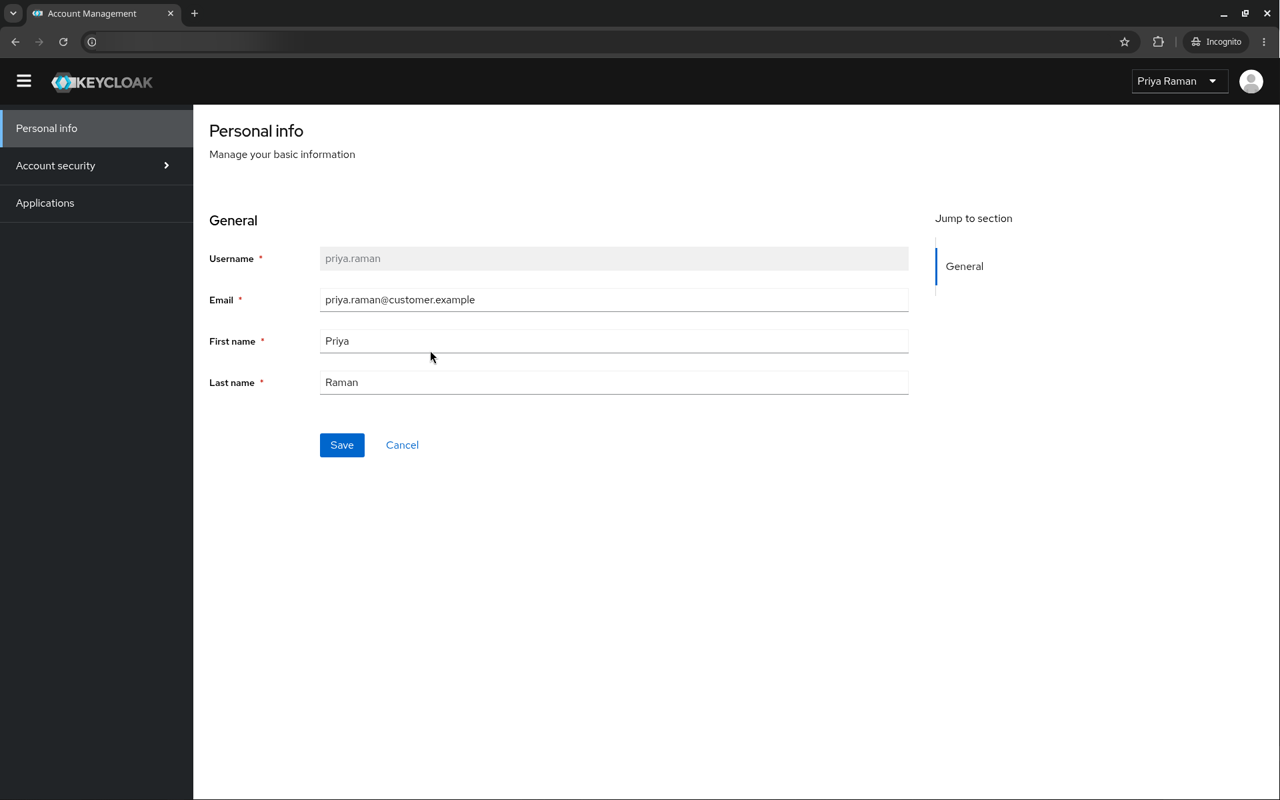
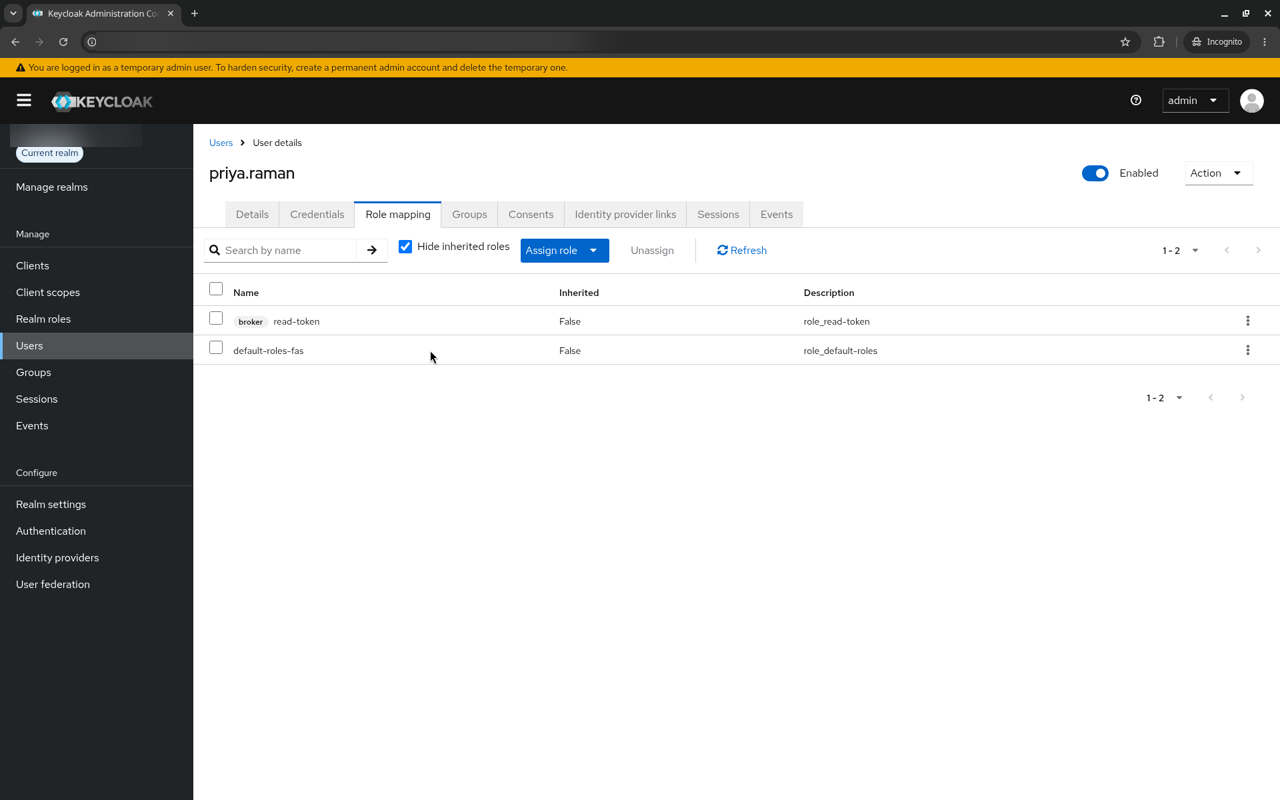
llm-analysts(maria.gonzalez, an analyst user), groupllm-engineers(james.whitaker, an engineer user), and priya.raman, a user in no group.
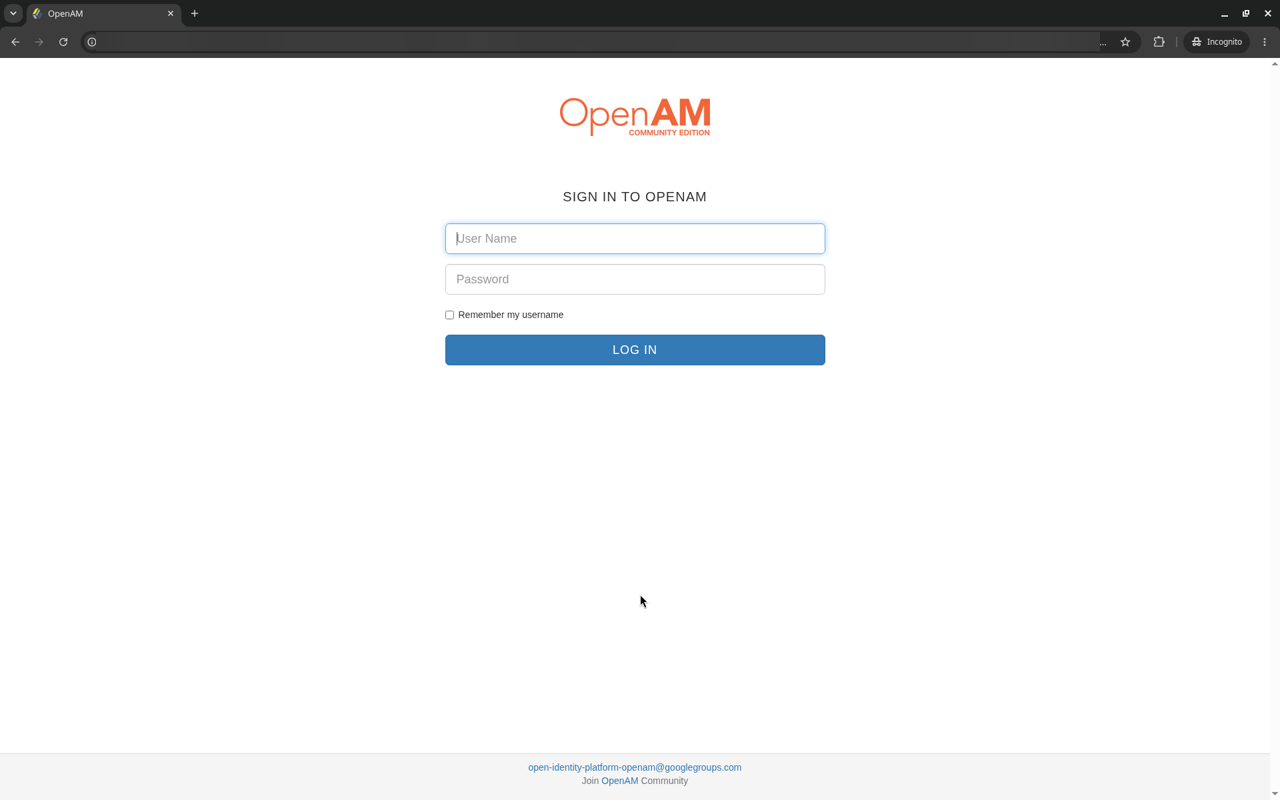
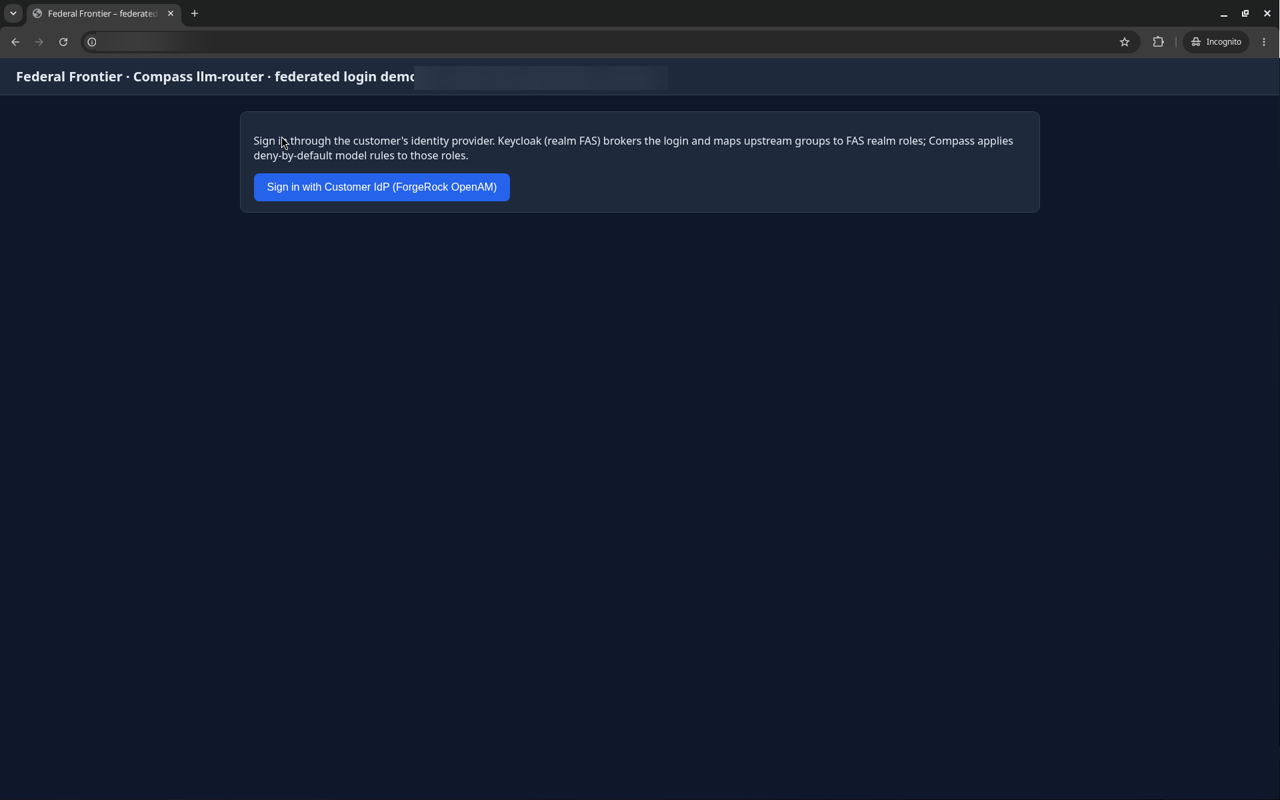
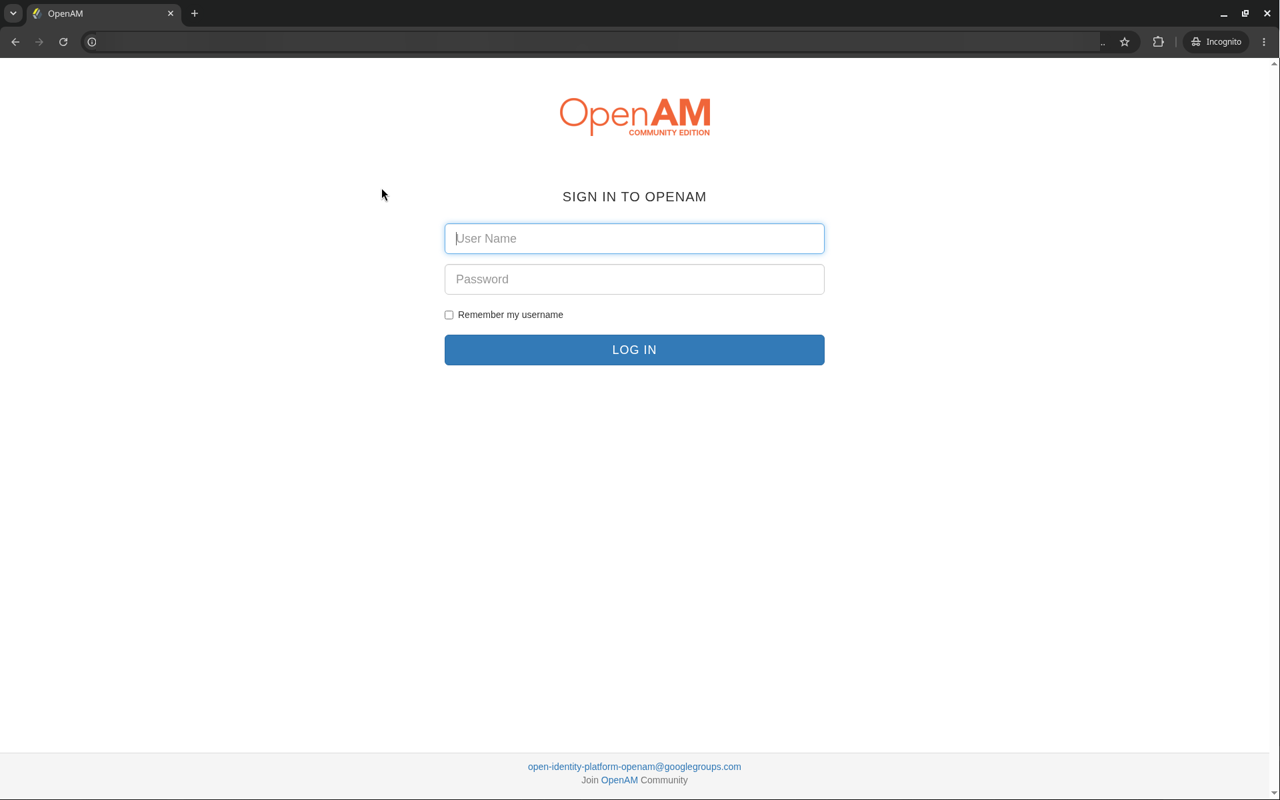
Sign-out: in testing, OpenAM’s end-session endpoint redirected correctly but did not end the OpenAM session, so a user could be signed straight back in. The tested sign-out therefore also ended the OpenAM session before the Keycloak logout. With other IdPs, check end-session behavior, or use short IdP session lifetimes or prompt=login.
Tested
Tested on 2026-10-21 in Chrome, in a single-VM test environment with Keycloak in development mode:
- Keycloak 26.4 brokers over OIDC to OpenAM 16.1.3 with OpenDJ 5.1.2, with PKCE and
kc_idp_hint. - Advanced Claim to Role mappers with sync mode Force map the upstream groups to realm roles.
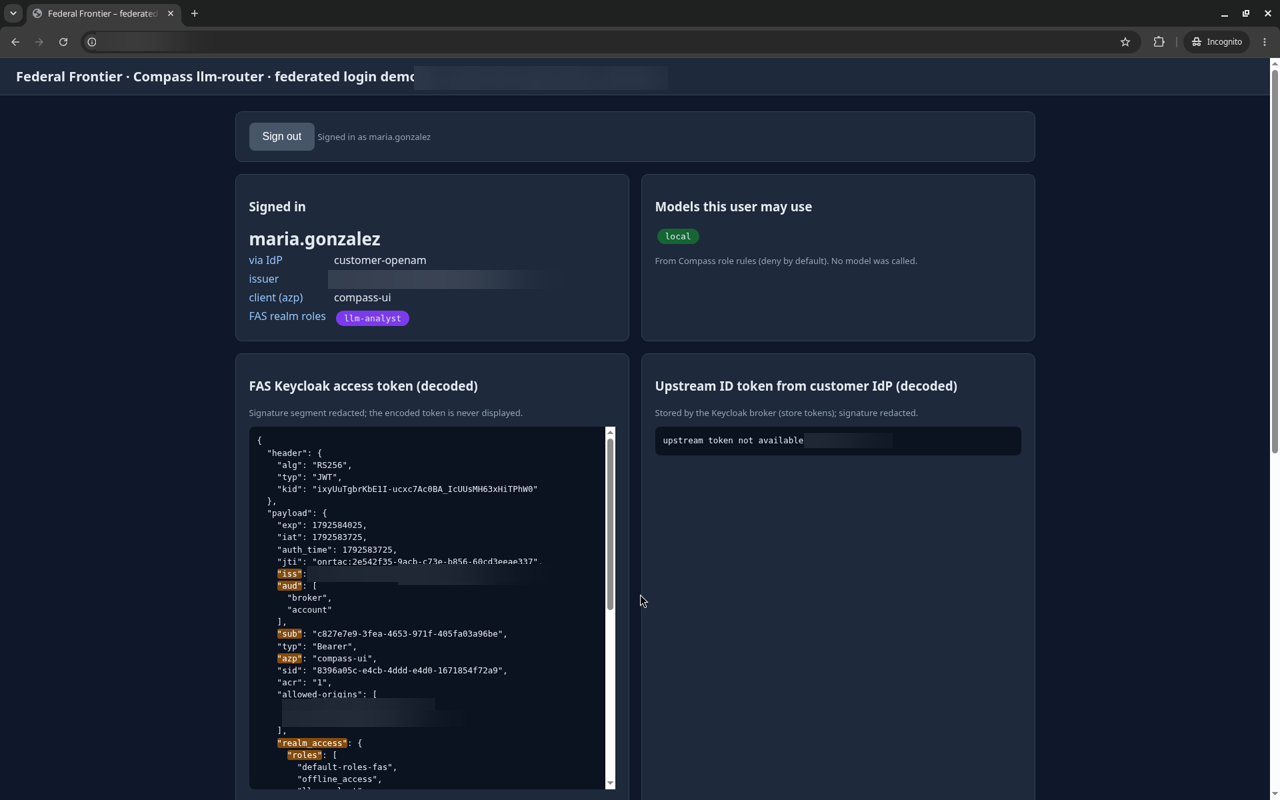
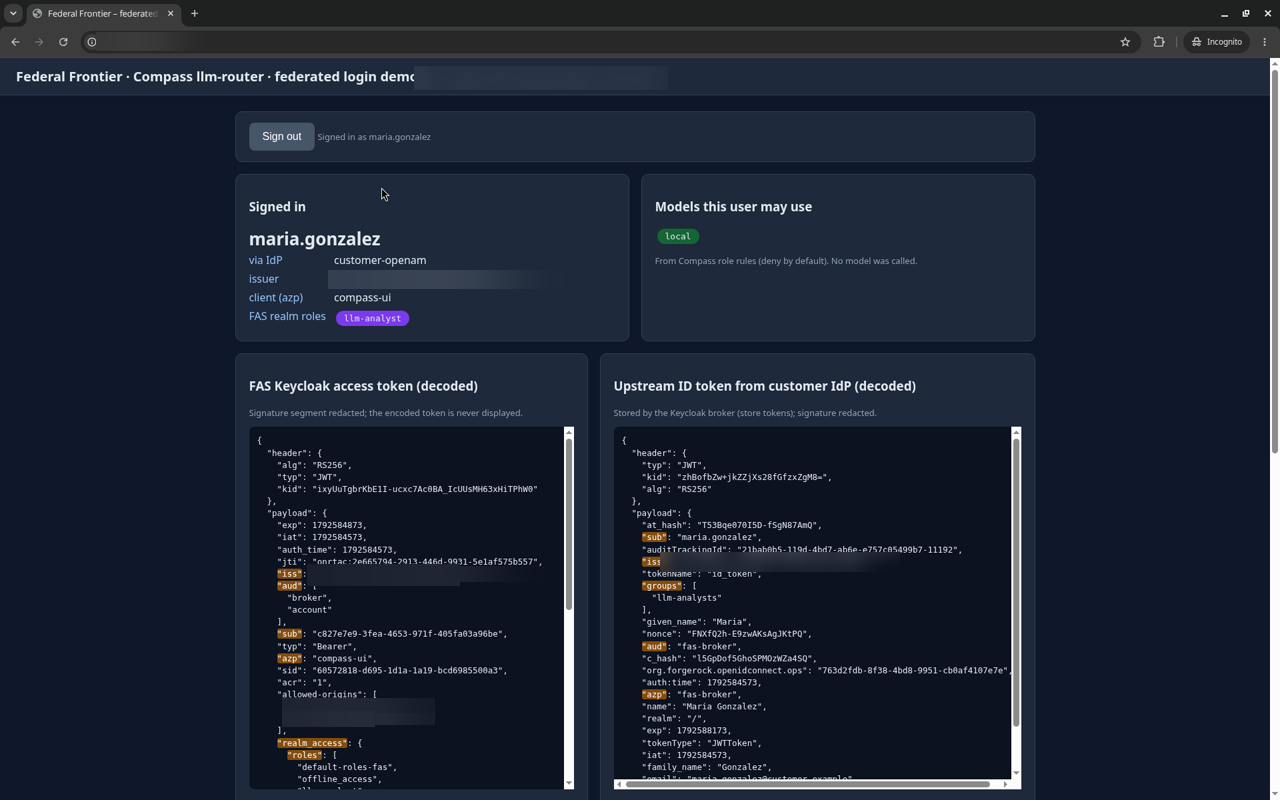
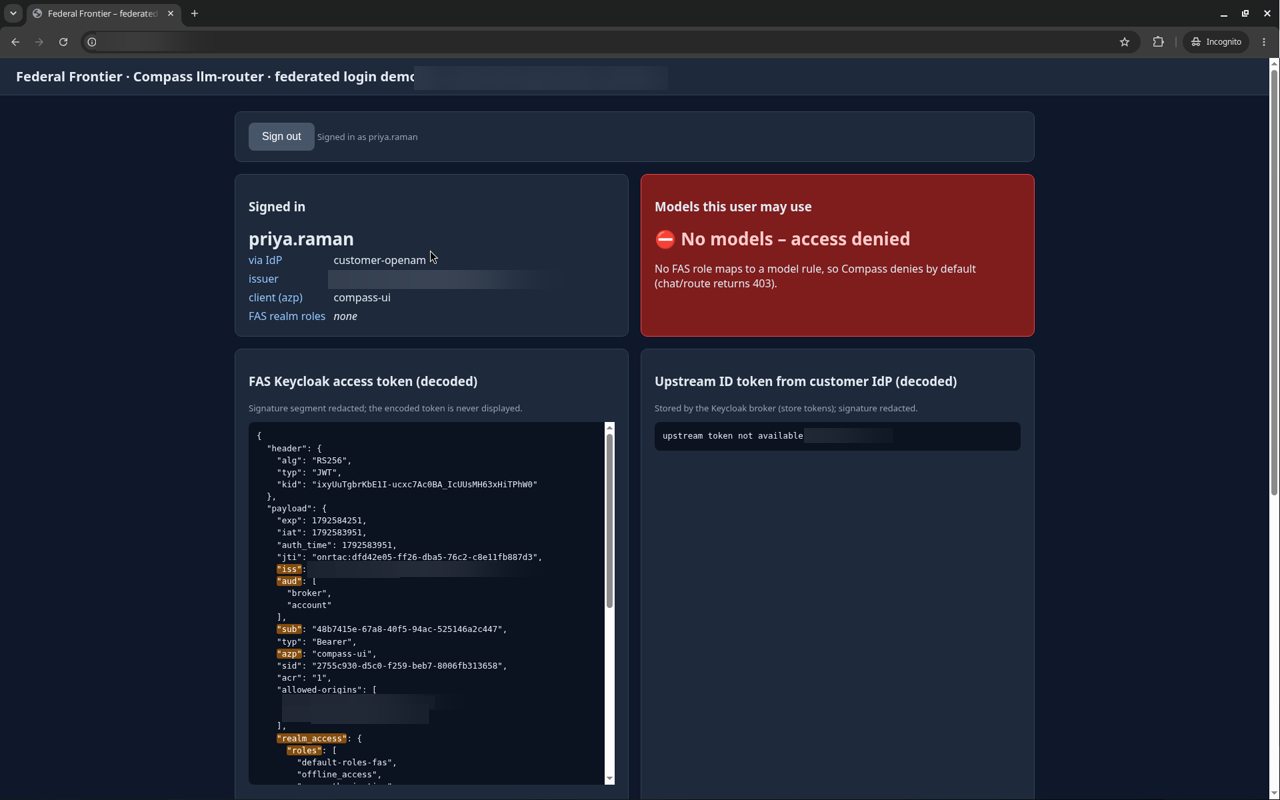
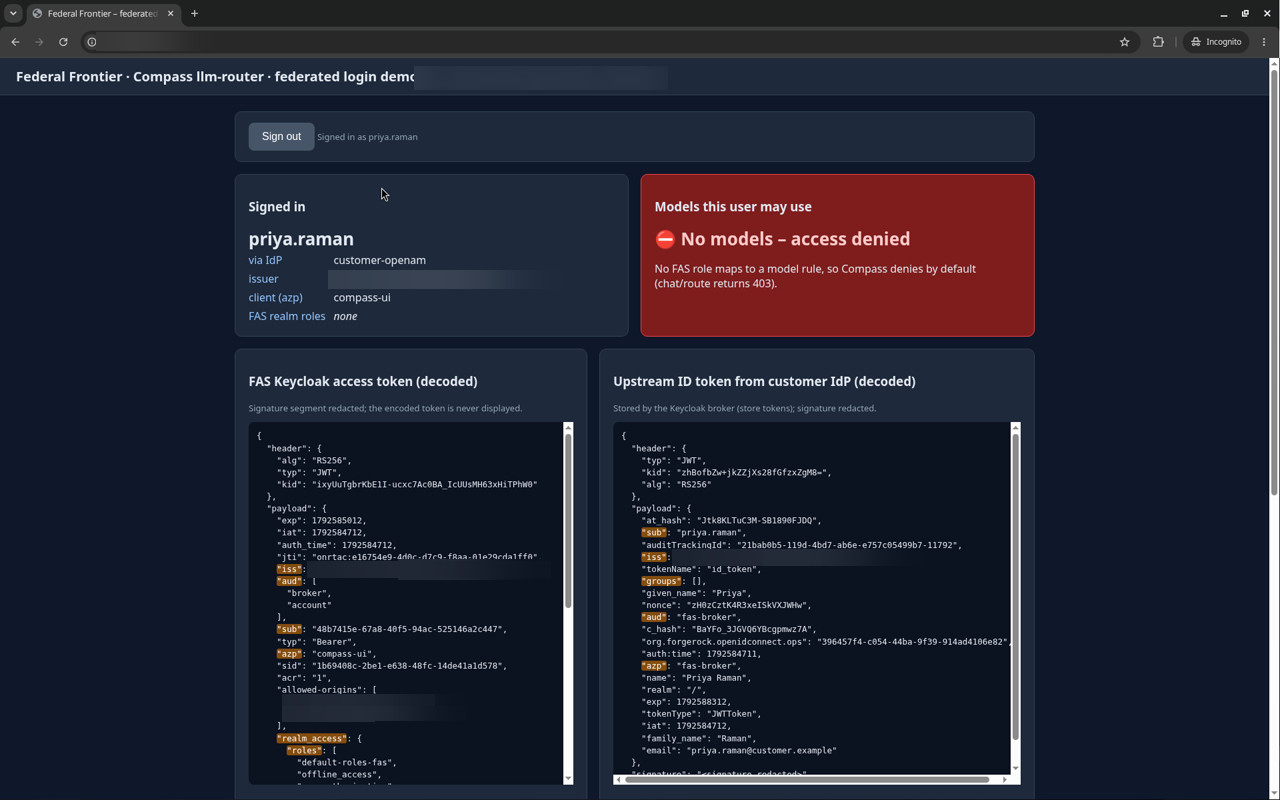
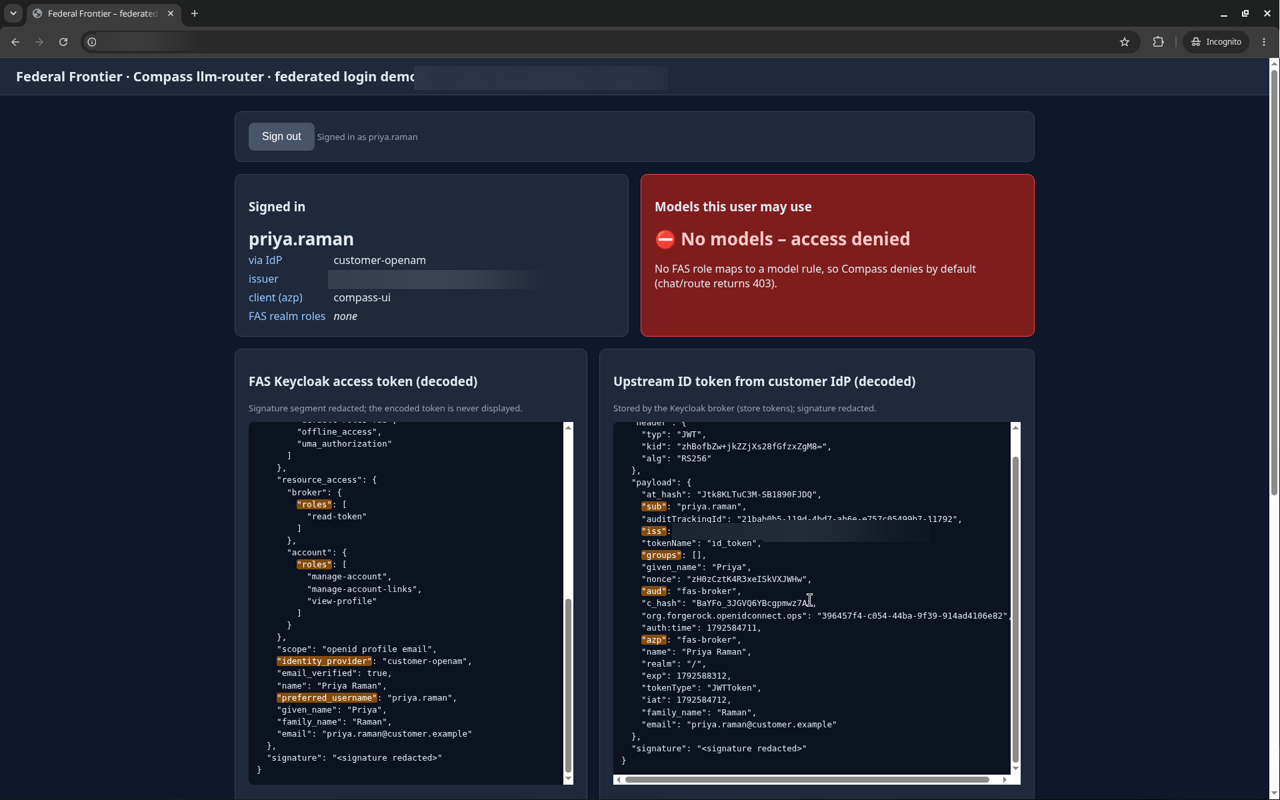
- Compass llm-router deny-by-default still holds: maria.gonzalez (an analyst user) gets local models only, james.whitaker (an engineer user) gets local models plus sonnet, and priya.raman (a user with no mapped role) is denied (HTTP 403).
- Sign-out returns the user to the application, and the customer IdP asks for credentials again.
No model was called; the tests covered model listing and routing decisions only.
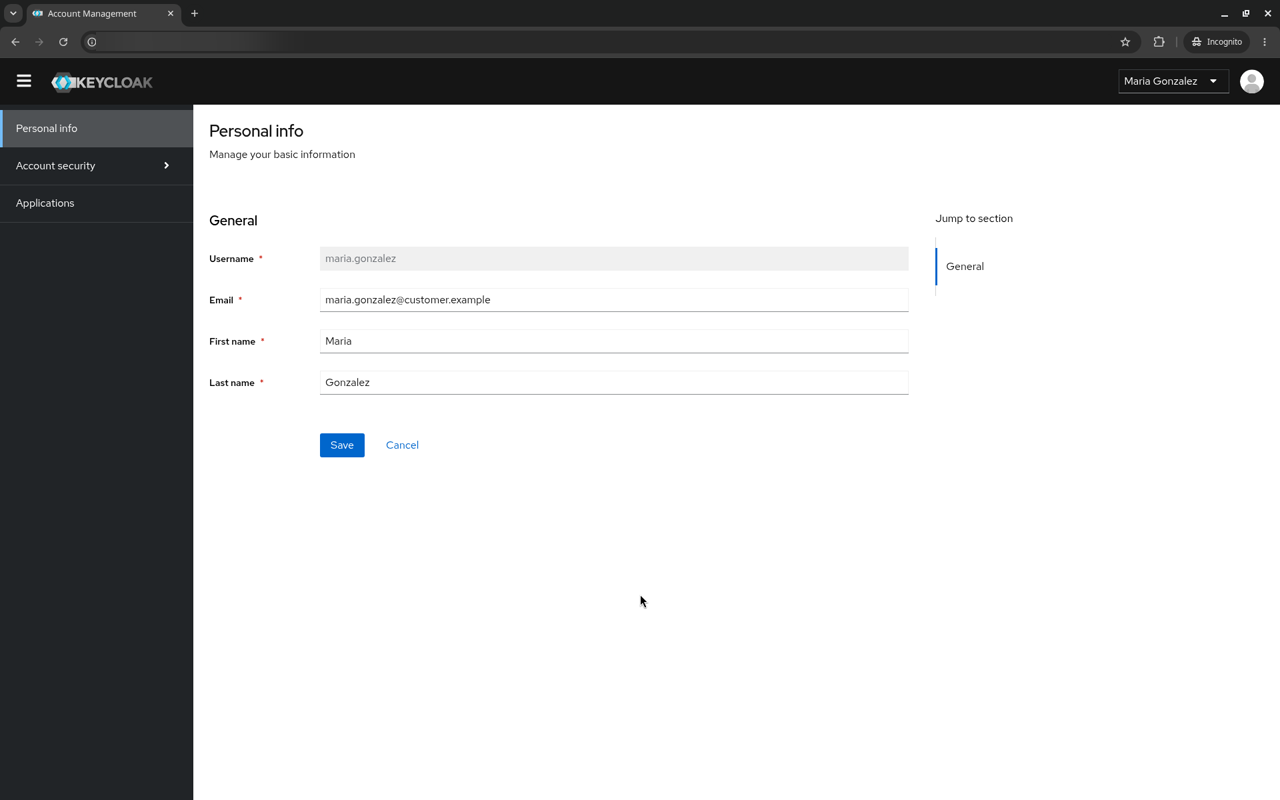
Screenshots for each user: back at the Keycloak account console, the user’s role mapping, the demo page with the permitted models, and the decoded tokens (signatures redacted).
maria.gonzalez (an analyst user, upstream group llm-analysts): local models only
james.whitaker (an engineer user, upstream group llm-engineers): local models plus sonnet
priya.raman (a user with no upstream group): access denied
Sign-out
Not yet tested
- Microsoft Entra ID (group object IDs in
groups, groups overage claim, app roles inroles) - Okta (groups claim on the app or authorization server)
- Ping: PingFederate, PingOne and PingAM
- SAML 2.0 brokering, including ADFS
- Grafana, Argo CD, Remuda and the Kubernetes API signing in through the brokered identity provider
- Keycloak in production mode behind HTTPS
- Back-channel logout between Keycloak and the IdP